Pet Mode Tilt Calibration Guide
Calibrate your collar's tilt sensor to set the boundary between crawling and standing.
Local Mode Required
Connect your phone to the collar's “Fancy-AP” Wi-Fi. Tilt calibration cannot be adjusted over the internet.
How Pet Mode Works
Posture 02 is the calibration cutoff point. Staying down in Posture 03 is safe, while rising up to Posture 01 triggers a zap.
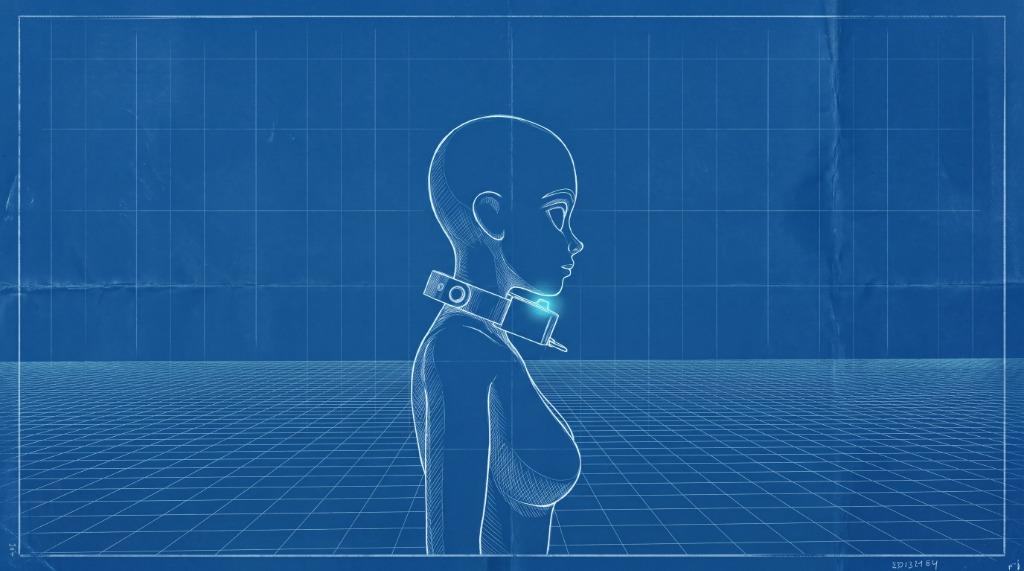
Standing Upright
Rising up or standing breaks Pet Mode. The collar beeps and delivers a zap until the wearer drops back down.
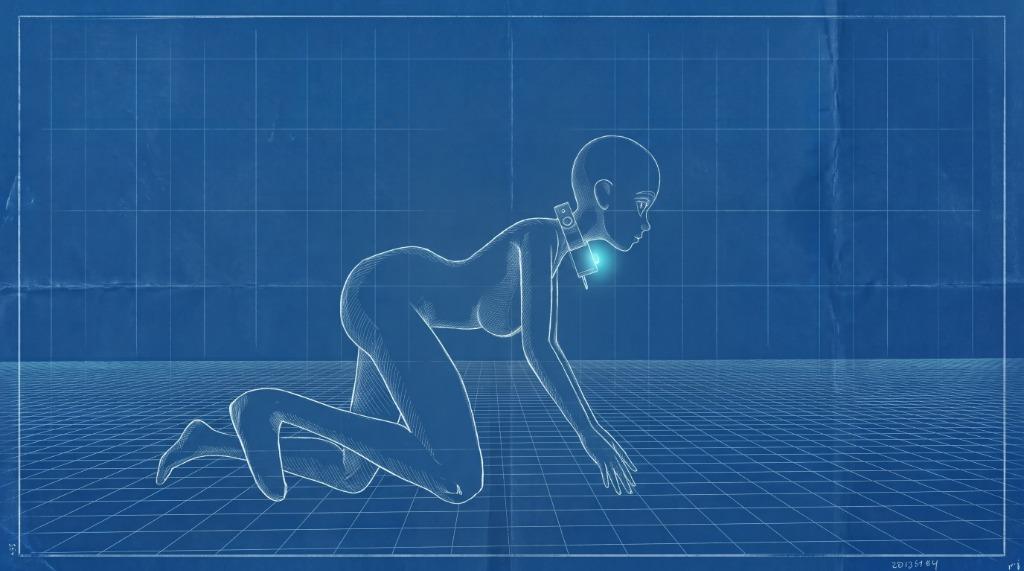
Calibration Point
Hold this exact posture, then tap “Get Tilt” and “Save Tilt” to set the cutoff limit.
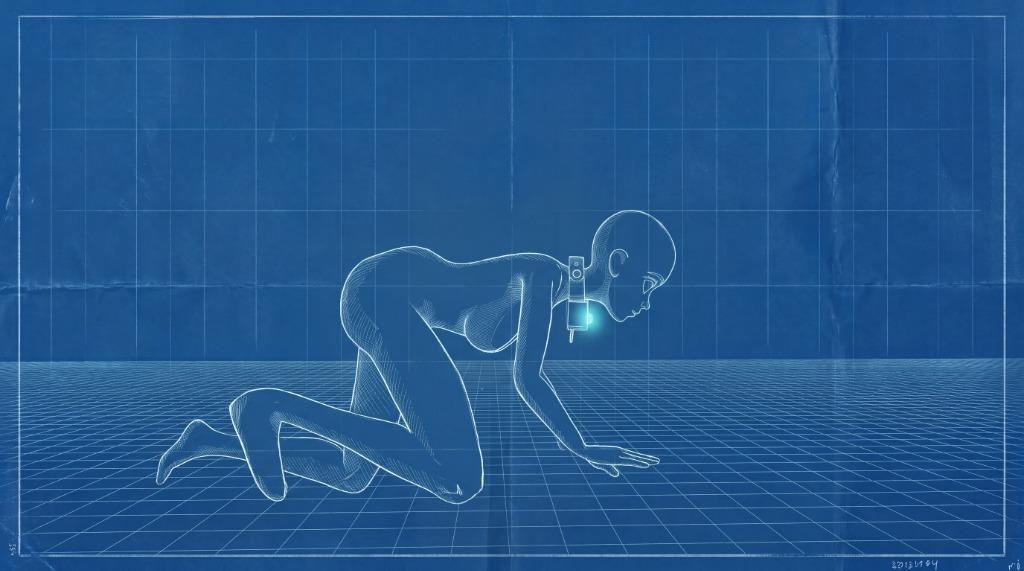
Crawling on All Fours
All-fours pet stance safely below the Posture 02 limit. Zero shocks delivered while in this posture.
How to Calibrate (4 Simple Steps)
Connect to Fancy-AP Wi-Fi
Connect your phone to the collar's “Fancy-AP” Wi-Fi network and open the Fancy Steel app in Local Mode.
Open Tilt Settings
Go to Settings > Devices, select your collar, and tap “Set Tilt”.
Wear Collar & Hold Posture 02
Wear the collar securely, drop down into Posture 02, and hold the position steady.
Tap “Get Tilt” → Tap “Save Tilt”
Tap “Get Tilt” to read the current angle, then tap “Save Tilt”. You're all set!
Restore Factory Baseline
To revert back to original factory calibration, tap “Reset to default ” inside the Set Tilt popup.
When to Calibrate
First-Time Setup
When putting the collar on a new wearer to match their natural crawling angle.
False Zaps While Crawling
If the collar shocks while already down in Posture 03, the angle is too strict. Recalibrate in Posture 02.
Not Shocking When Standing
If the wearer stands up into Posture 01 without triggering a zap, the angle is too loose. Recalibrate in Posture 02.
After Adjusting Strap
If you tighten, loosen, or reposition the collar on the neck, perform a quick recalibration.